
Testing async code in Swift Testing: Why confirmation() is not working?
Learn why confirmation() doesn’t behave like XCTestExpectation and what to use instead.


With the new Swift Testing framework, Apple introduced the Confirmation API which many developers treat as interchangeable with XCTExpectation.
This is a common misconception, even myself before learning it.
Suppose that we want to test for the following code. How would you write a test?
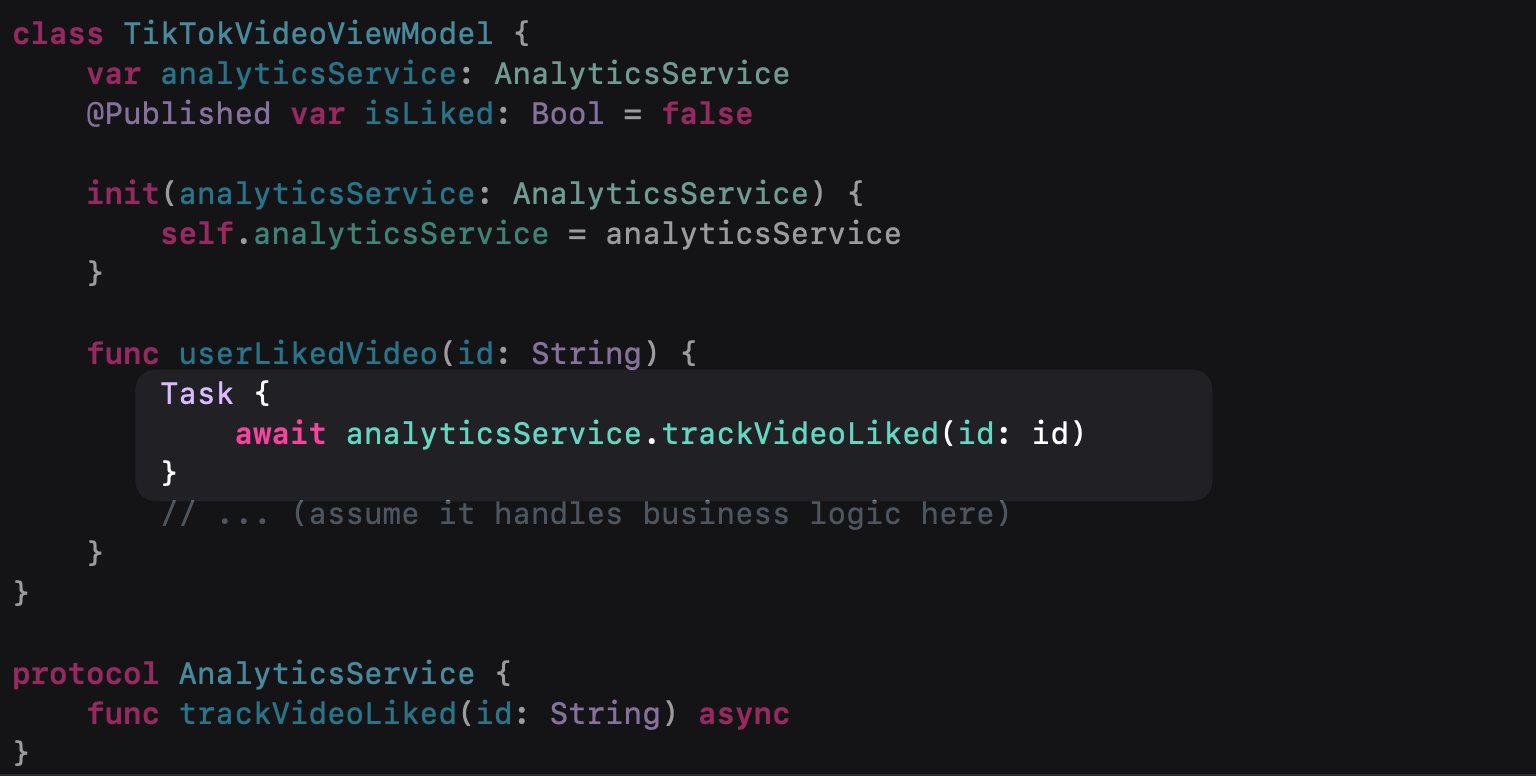
If your first thought was to use XCTExpectation then that would work fine and the test would pass ✅.
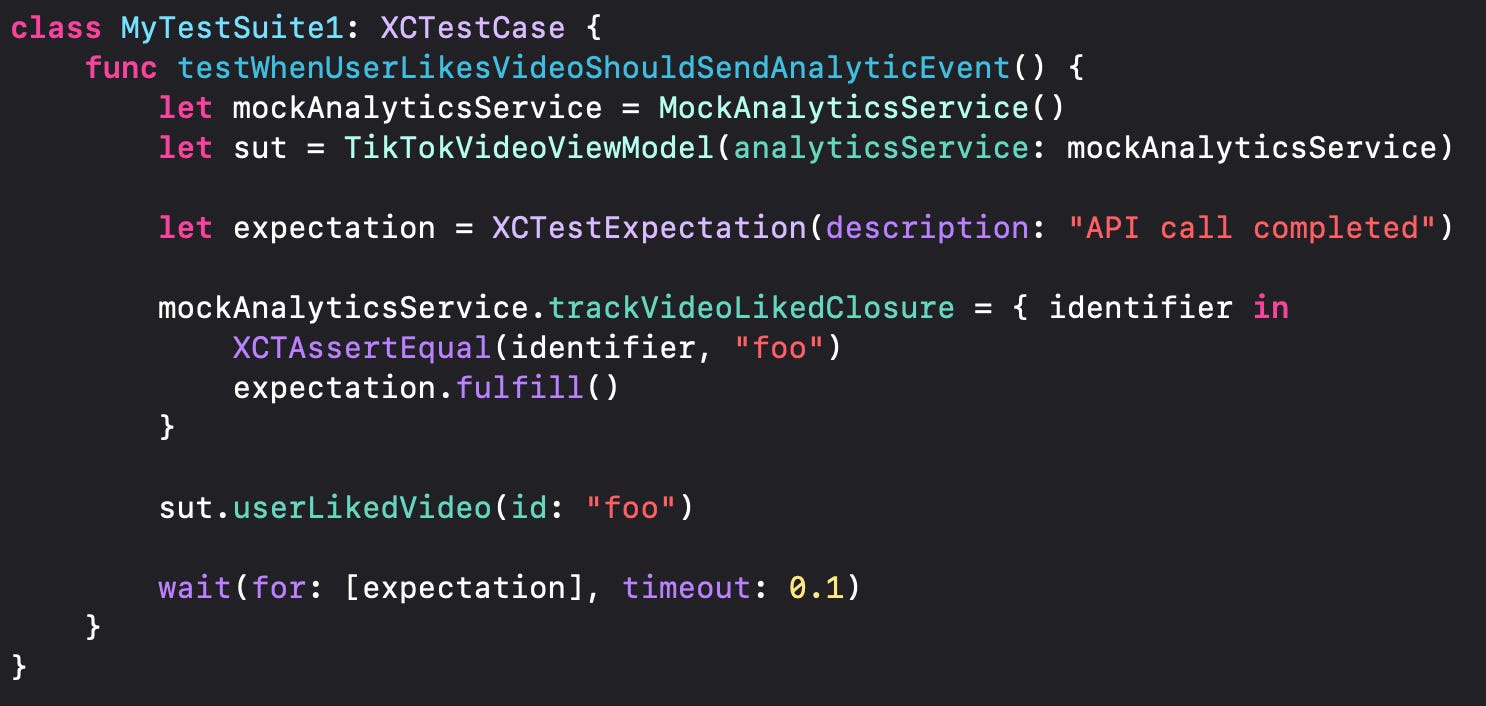
But what would be the swift testing equivalent 🤔
The problem
Let’s try migrating the above test to Swift Testing using Confirmation.
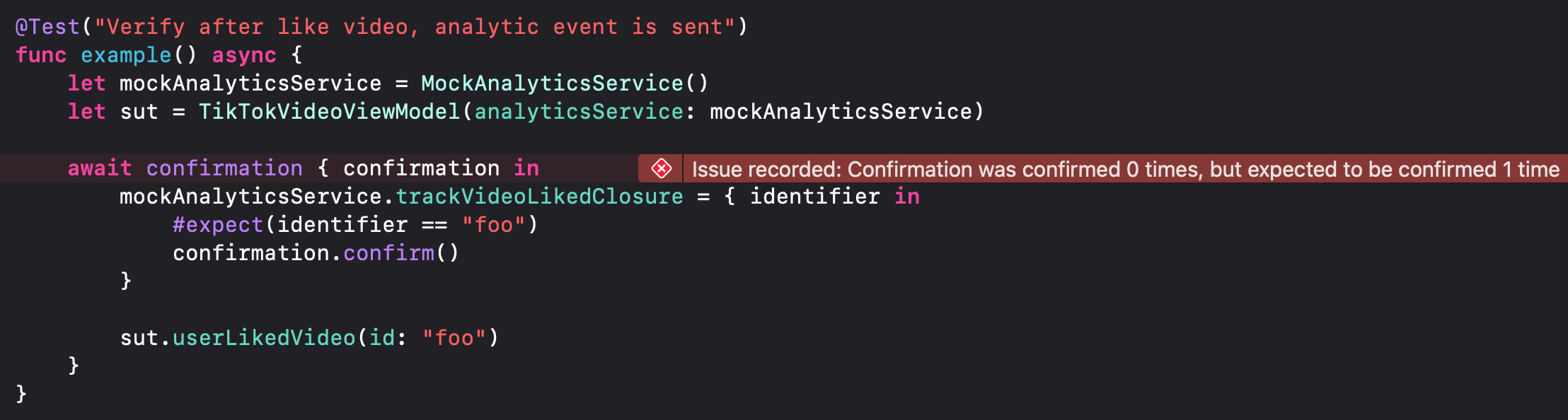
Wait a second, why is it failing? Shouldn’t the confirmation wait until the confirmation.confirm() is called? What have we done wrong?
Nothing is wrong, it is just expected behavior from confirmation, as Apple documentation clearly states the following:

This means that confirmation is not waiting until confirmation.confirm() is called. In addition, it asserts if confirmation.confirm() was called once the closure provided exits.
⚠️ Some developers might say: “Well, userLikedVideo() should have been async so we avoid uncontrolled tasks after the function exits.”

That’s a valid point in many cases, but sometimes you want a fire and forget approach.
The solution
We basically need a way to synchronize some asynchronous code in the testing. That sounds something that withCheckedContinuation could do. Let’s see it in action 🏁
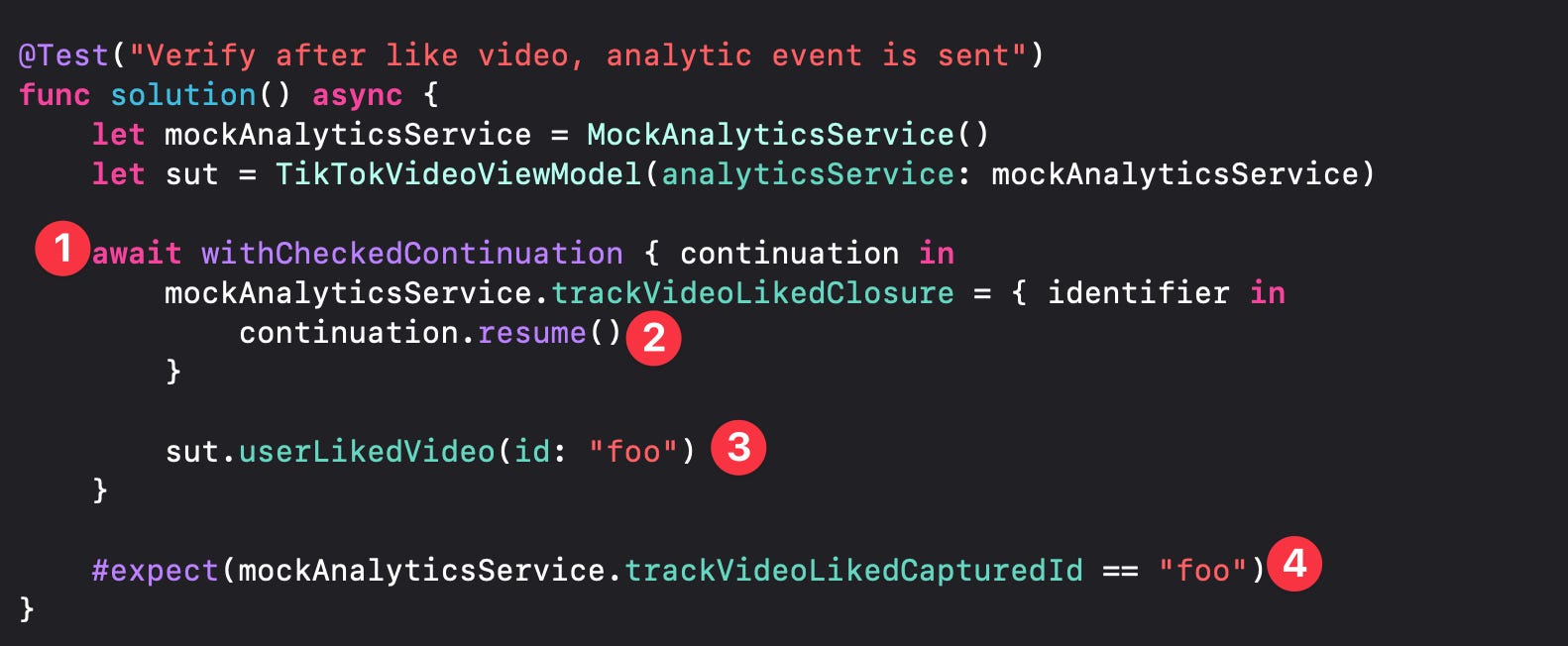
(1) We await until withCheckedContinuation is resumed/finished.
(2) When the asynchronous operation finish we call resume() to proceed to assertion/expectation phase.
(3) We do an action that we want to unit test.
(4) We do the assertion and it is guaranteed that the asynchronous code has finished 🎉
Bonus points 🎰
Let’s say we ship this code. Months later, a developer reports that tests are taking too long ⏰.
Why? 🤦♂️
Because we assumed step (2), the call to resume(), would always happen. If production code changes and stops calling trackVideoLiked() then the test will hang until the timeout is reached.
And here’s the tricky part:
You might think, “I’ll just set the Swift test limit trait to 2 seconds.”
Unfortunately, that’s not possible as the minimum timeout per test is 1 minute. You can read more about this in the documentation.

So what are we doing now? We give up? One solution that I’ve seen on the community is this by Alejandro Ramirez which allows defining a maxtime to wait.
My personal recommendation is first try to refactor your code not to have uncontrolled asynchronous code just like we had in this article with the Task being created inside the function. And if there is nothing else you can do feel free to use the withCheckedContinuation as an alternative.
❗️Sometimes it’s not a bad idea to stick with XCTest if something is hard to test with Swift Testing. Having stable and reliable tests can be more valuable than always using the latest technology.If you’ve encountered something similar, I’d love to hear your thoughts in the comments.
See you in the next article! 👋💪
Konstantinos Nikoloutsos